
 Check Point’s headline number is a 48 percent increase in weekly cyberattacks per organization compared with September 2025. That figure describes overall cyberattack volume. It is not the increase in email phishing, and the two should not be read as the same statistic.
North America had the highest regional rate, at one in 79 emails. Associations and nonprofits led all industries at 2.17 percent, roughly twice the global average, followed by construction and engineering at 2.05 percent.
The report does not establish how many of these messages escaped filtering or led to an actual compromise. Its sample is a global average, and its details are not enough to calculate any one company’s own risk.
What the Delivery Numbers Leave Out
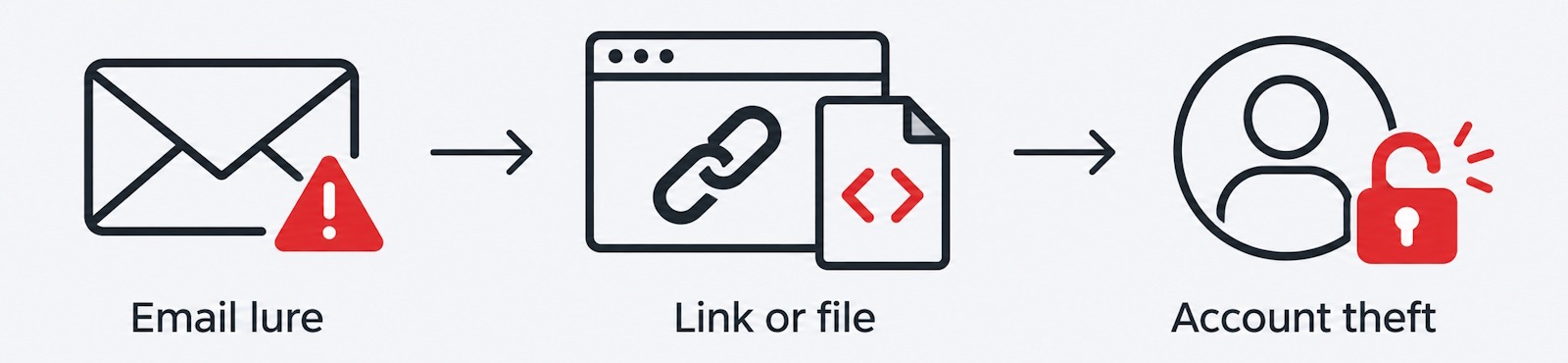
Check Point found links in 81 percent of September’s phishing emails and attachments in 11 percent. Those labels describe how a message arrived, not what it actually does. A link can lead to a file. A file can contain a link. Either path can end the same way, with a stolen account. Three recent campaigns show how that plays out in practice.
A Fake Voicemail Hides Its Threat Inside an Image File
Check Point identified more than 58,000 emails tied to a fake voicemail campaign between August 17 and August 31, targeting over 7,800 organizations. The messages looked like automated voicemail transcript notifications, and their sender addresses were spoofed to resemble the recipient’s own domain.
The attachment looked like a call recording. It was actually an SVG image file carrying a script. Opening it triggered a redirect to a phishing page, and that page could read the recipient’s email address out of the link itself and fill it into the login form automatically, which made the request look far more convincing.
The dangerous content lived inside the file, not in some separate executable the recipient had to run. An ordinary image format became the route to credential theft. That is why how an attachment looks is a poor guide to whether it is safe.
A PDF That Leads Through CAPTCHA to a Fake Sign-In
Microsoft documented a second example in May. Attackers used fake code of conduct reviews to pressure employees into responding quickly. Between April 14 and April 16, the campaign targeted more than 35,000 users across over 13,000 organizations, most of them in the United States.
Each message carried a PDF. A link inside it sent the user through a CAPTCHA and a series of staging pages before reaching an adversary-in-the-middle login flow, a technique that places the attacker between the user and the real authentication service. That position lets the attacker capture live authentication tokens and get past multifactor authentication that is not phishing resistant.
The PDF itself needed no macro and no exploit. Its only job was to make the request look credible and move the user to the next stage. File security has to account for where an embedded link leads, not only for whether a document carries executable content. Stripping out scripts does not make every deceptive document safe.
A Trusted Microsoft Link That Ends in Malware
Microsoft’s second-quarter report described a campaign built around a nested email attachment and a calendar invitation. A button inside the attached message pointed to a genuine Microsoft authentication endpoint. The attacker had registered an application whose configured redirect sent the user on to a hosted batch file instead of back to Microsoft.
If the user ran that file, it launched a hidden PowerShell command that pulled down an executable payload. The familiar Microsoft web address was only one step along the route. Passing through it never established that what came after was safe.
Together, these three campaigns point to the same practical conclusion. Email protection has to follow redirects, inspect attachments, and examine downloaded files before anyone uses them. Checking only the first visible link or the first visible attachment leaves every later stage of the chain unexamined.
Protecting the Account Matters Just as Much
A separate Microsoft report on an energy-sector campaign shows why file inspection is not the whole answer. Attackers abused SharePoint sharing workflows to deliver their lure, and once an account was compromised, they created inbox rules to hide replies and used that account to send further phishing messages to internal and external contacts.
Microsoft’s own guidance is direct: password resets alone are not enough. Responders also need to revoke active sessions and remove any malicious inbox rules the attacker left behind, or the account can stay usable to the attacker long after the password has changed.
AI’s Role Is a Separate Question
Check Point’s report does not establish that AI caused September’s rise in phishing. Its GenAI findings are about sensitive data employees entered into AI tools, which is a separate issue from how phishing emails are built or delivered. The campaigns above show attackers exploiting familiar workflows, such as voicemail notifications, compliance reviews, and document-sharing links, regardless of which tools helped produce the lure.
FileDNA Role
FileDNA’s Content Analysis, Disarm, and Reconstruction engine, or CADR, analyzes, disarms, and reconstructs files at the point when incoming content reaches a person or an automated system. FileDNA Relay applies that process to email attachments, while server and endpoint deployments give organizations other places to inspect files before anyone opens them.
This approach can address dangerous active content in supported file formats when the right processing and policy are in place. Its reach extends to files downloaded from email links as well, provided those downloads pass through the same controls. That matters because Check Point’s 11 percent attachment figure is not a complete measure of the file security workload. A good share of that workload arrives through links, not through the attachment field.
Coverage still depends on the format, the embedded content, and the policy applied. A supported file can have its dangerous active content removed through reconstruction. A deceptive PDF that only contains an ordinary hyperlink to be deleted by FileDNA policy or may instead need URL analysis. Credential theft that happens entirely in a browser, with no file involved at all, most likely will need web and identity protection rather than file inspection.
September’s figures add urgency to a familiar problem. The first email is often just an invitation to continue. Security has to evaluate what comes next, before a person opens the file, follows the destination, or approves the login.
References:
- Check Point: September 2026 Cyber Threat Landscape
- Check Point: Fake Voicemail Transcript Emails Target 7,800+ Organizations
- Microsoft: Breaking the Code, Multi-Stage Code of Conduct Phishing Leads to AiTM Token Compromise
- Microsoft: Email Threat Landscape, Q2 2026
- Microsoft: Multistage AiTM Phishing and BEC Campaign Abusing SharePoint.